Contents
Architecture and Components Google Access Model - for NotebookLM Google Sharing in Gemini (no concerns) Trust in Google Architectural Threats
Independence and Prompt History
Security and Access Concerns
Architecture and Components
In the debut of the STPrism system I was asked about the security of the system and the copyright of the material in the system. Under the normal use scenarios there are three layers to the architecture …
- Inquiry Layer - Uses Default Gemini: What is possible and the access to the inquiry later (from Gemini)
- Combination Layer - QSet NotebookLM: What is possible and the access management to the QSet later (in one specific NotebookLM - such as the sample provided on the home page)
- Source Layer - Private Source NotebookLMs: What is possible and the access management to the multiple notebooklms each separately containing the works of a specific author
The linkage between levels 1 & 2 is provided by Google, the linkage between 2 & 3 is by a plain text file exported from NotebookLMs at level 3 and imported into the level 2 NotebookLM. The raw data - the text file(s) that make up the QSet - can also be archived, transferred and exchanged with the freedom and reservations that go with any raw text file data.
Google Access Model - for NotebookLM
The security/access model from NotebookLM employs equivalent controls to those provided in Google Docs, in summary:-
For people & access (the who)
On people & roles …
- The owner of the resource (eg the QSet notebook) controls third party access which can be chosen from
- No access to anyone other than the owner
- Access to a nominated person or group either by request or by policy (with the possibility of revoking access) and the ability to see/control any delegated access
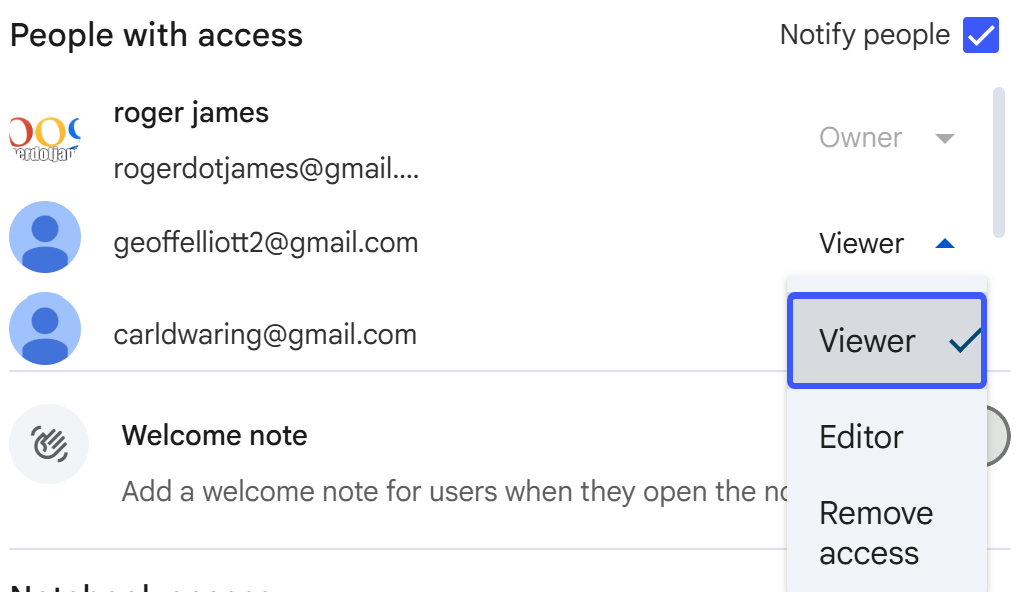
If you want any control you need to switch ‘on’ the access control (restricted), otherwise you could simply make the resources open by sharing the link.
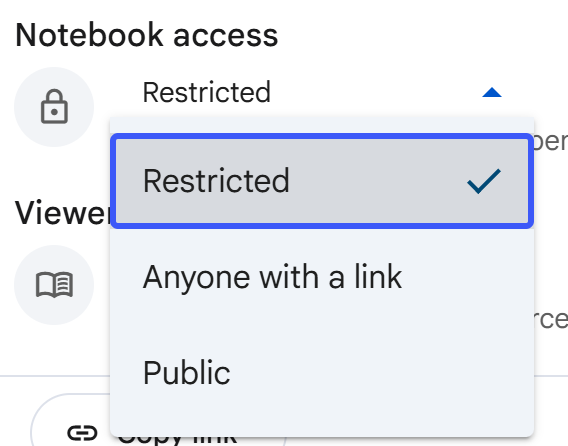
For content and rights (the what)
On content & access …
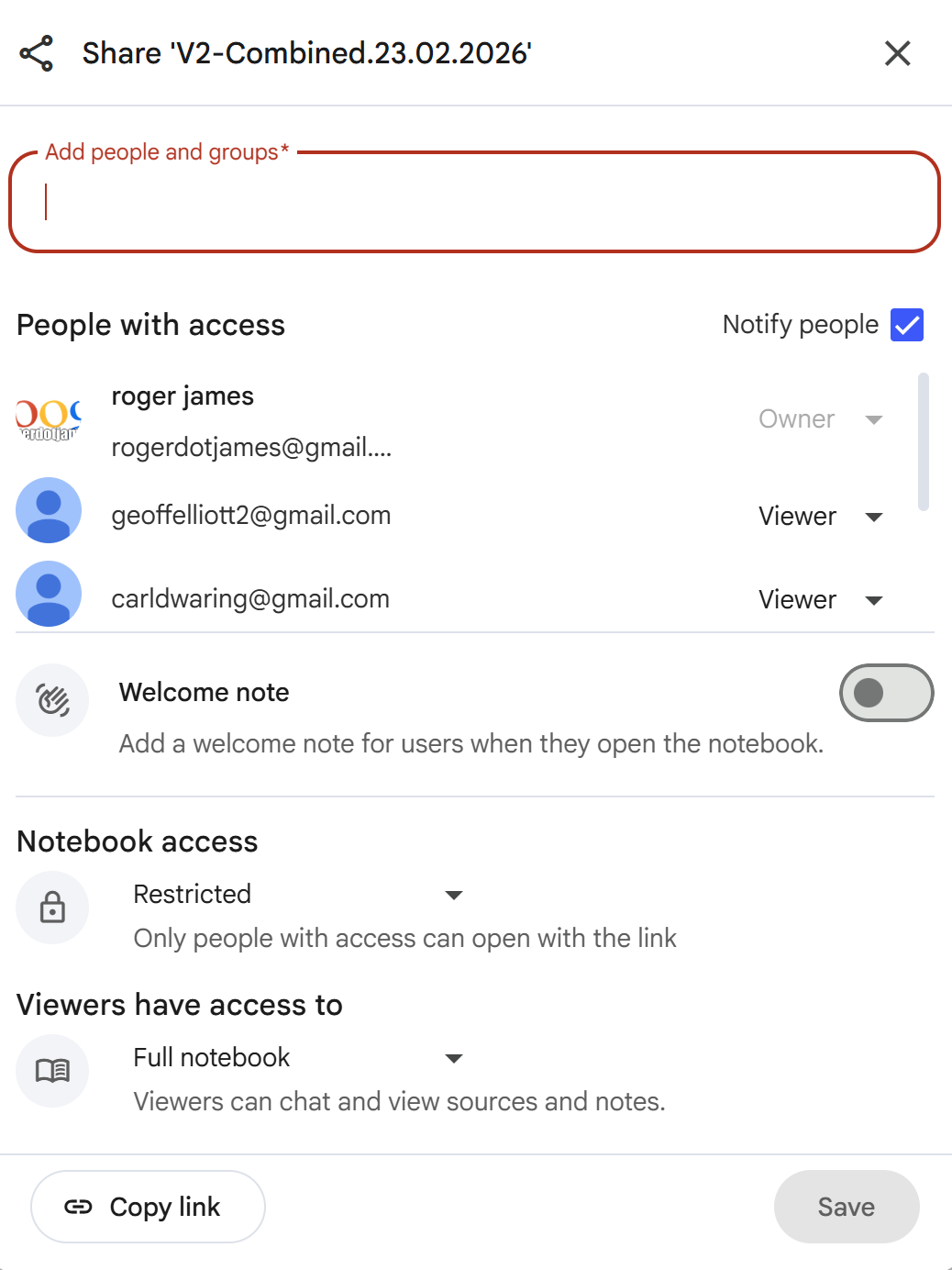
- Access in ‘chat’ mode (which in NotebookLM means you can use the resource but not view the contents) or
- Access in ‘full notebook’ mode (which means you can inspect the content of THIS specific NotebookLM)
- Editor access (which means a ‘subscriber’ can edit the content) (not used in the implementation)
 or
or

These two access of ‘sharing’ - who and what - work independently with all combinations allowed.
Google Sharing in Gemini (no concerns)
If I share the public link to a chat in Gemini what access does it provide to a NotebookLM used in the chat
When sharing a public link to a Gemini chat with an integrated NotebookLM, recipients can only access the static content of the chat history at the time the link was created. [1]
Here is how access works for the integrated NotebookLM content:
What the Recipient Can See
- Chat Transcript: The recipient can read the questions and the answers generated using the notebook as a source.
- Contextual Responses: Any summaries or insights produced based on the notebook’s data are visible. [1, 2, 3, 4, 5]
What the Recipient CANNOT Access
- The Original Notebook: Sharing a Gemini chat link does not grant access to the underlying NotebookLM notebook.
- Source Files: The recipient cannot view the specific PDFs, Google Docs, or YouTube links added to the notebook unless the notebook is shared separately through NotebookLM’s sharing settings.
- Real-time Interaction: The public link is a snapshot. Changes made to the chat or notebook will not appear in the shared link unless updated.
- Private Memory: Gemini only sees the “library” of files in the notebook; it does not share private chat history from within the NotebookLM interface. [1, 6, 7, 8, 9]
Important Privacy Note
To allow others to interact with a notebook directly, the “Anyone with a link” setting within NotebookLM must be used, rather than just sharing a Gemini chat link. [10, 11]
Sources
[1] https://support.google.com [2] https://www.reddit.com [3] https://www.reddit.com [4] https://www.pdnob.com [5] https://www.youtube.com [6] https://support.google.com [7] https://www.remio.ai [8] https://support.google.com [9] https://support.google.com [10] https://blog.google [11] https://sites.google.com
Trust in Google
Trust in the system is underpinned by trust in Google who state ‘Notebooks are private until you explicitly choose to share them with others via email or a public link. Google’s official stance is that it does not use your NotebookLM content to train its general, foundational AI models’ This implies the data you load is secure and personal.
If you don’t trust Google you need to identify a non-cloud based service. One set of questions came from a defence manufacturer who I first assumed was just paranoid until he told me his company, for such ultra-security organisation there needs to be an ‘on-premise’ version although I am unexperienced in this end of the market.
Architectural Threats
The greatest possible threat arises from the use of the QSet NotebookLM with Gemini and I can only point to Google’s own answer. I will be researching alternatives but for demonstration purposes and most practical applications such as Systems Thinking it is not a practical concern.
Based on this security model the source NotebookLMs can contain private or restricted data this is the normal way of operating - it can be part of the owners own QSet or through the nominated sharing mechanism (known person, chat only rights) can form part of another’s QSet. As would be the case of my making a private collection usable by another but without having to provide a copy of my private files.
Of course the same result can be obtained from combination at the QSet level but this requires standardisation of the QSet questions and is operationally messier.
Copyright
Copyright this is discussed elsewhere Content and Copyright but in essence the system has no requirements for the consolidation layer (QSet) or inquiry layer (Gemini) to have access to the source NotebookLMs which contain the full detail and any proprietary information.
The Nature of the Sharing
The Gemini layer is used for enquires - where the target documents it uses as evidence (such as a transcript) is assessed using the QSet NotebookLM.
This configuration has Gemini as the top level and the NotebookLM QSet as the review resource is designed to maintain the integrity of the QSet. This may be a security concern but only if the target documents is proprietary. Any document and images can be unloaded as a PDF for analysis and whilst this is not formally published anywhere on ‘the web’ Gemini does not come with the guarantees of privacy which accompany NotebookLM. In almost every use case this is presented only as a caution not a concern!
Technical Note: Early experiments to include the target in the QSet NotebookLM were unsatisfactory as the target became ‘bound’ to the notebook and whilst the source could later be deleted the ‘memory’ persists in the NotebookLM prompt history (kneading of the underlying QSet - partly explained in What is Going On - The Re-entrant Gemini Version).
Worked Example - The Levels of Detail Exposed by the Access Controls
Our worked example uses the concept of the resource bargain (if you are interested read the Executive Report). The prompts used demonstrate the progressive reveal of the underlying information managed by the Google access settings and STPrism layered structure:-
Top Level view in Gemini
This is the level of information the user will see, it needs to be sufficiently understandable in its own right (ie not just a single phrase or key term) - enough to act as a prompt for the Systems Thinking expert or as a tease for the target client (CEO).
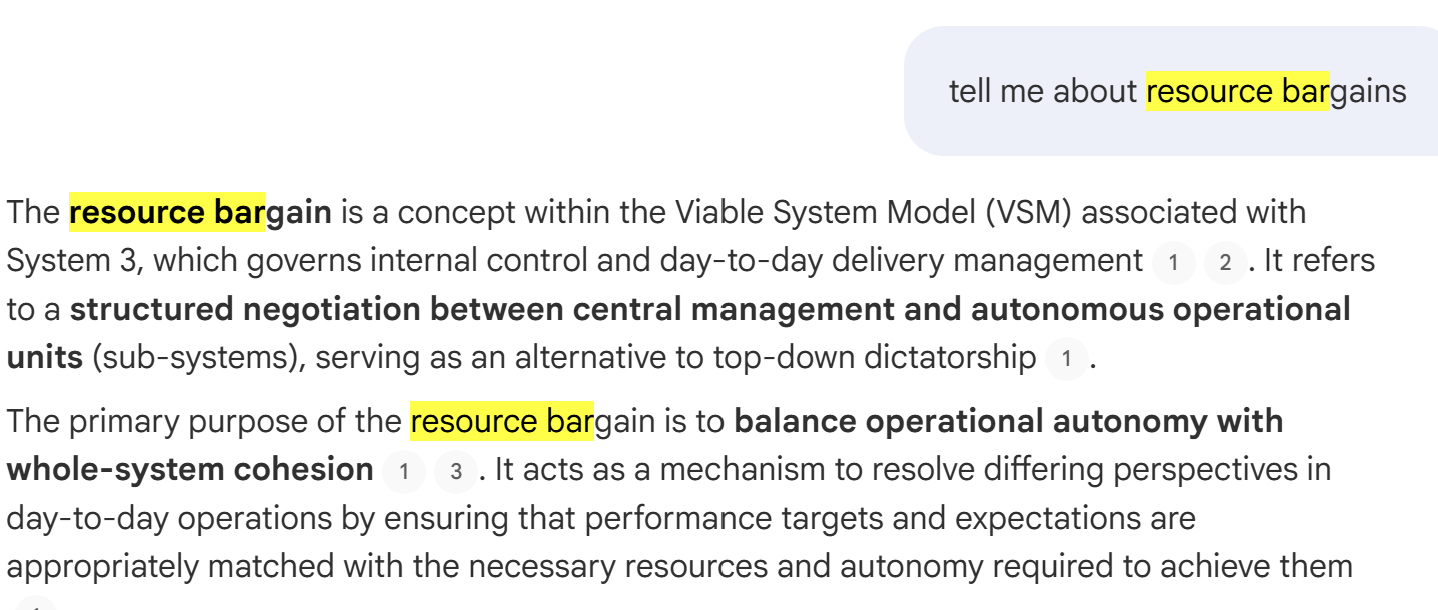 This shows the basis of what the system will provide, a summary of the principles behind ‘resource bargain’
Minimal Access (settings to view chat only) on the QSet
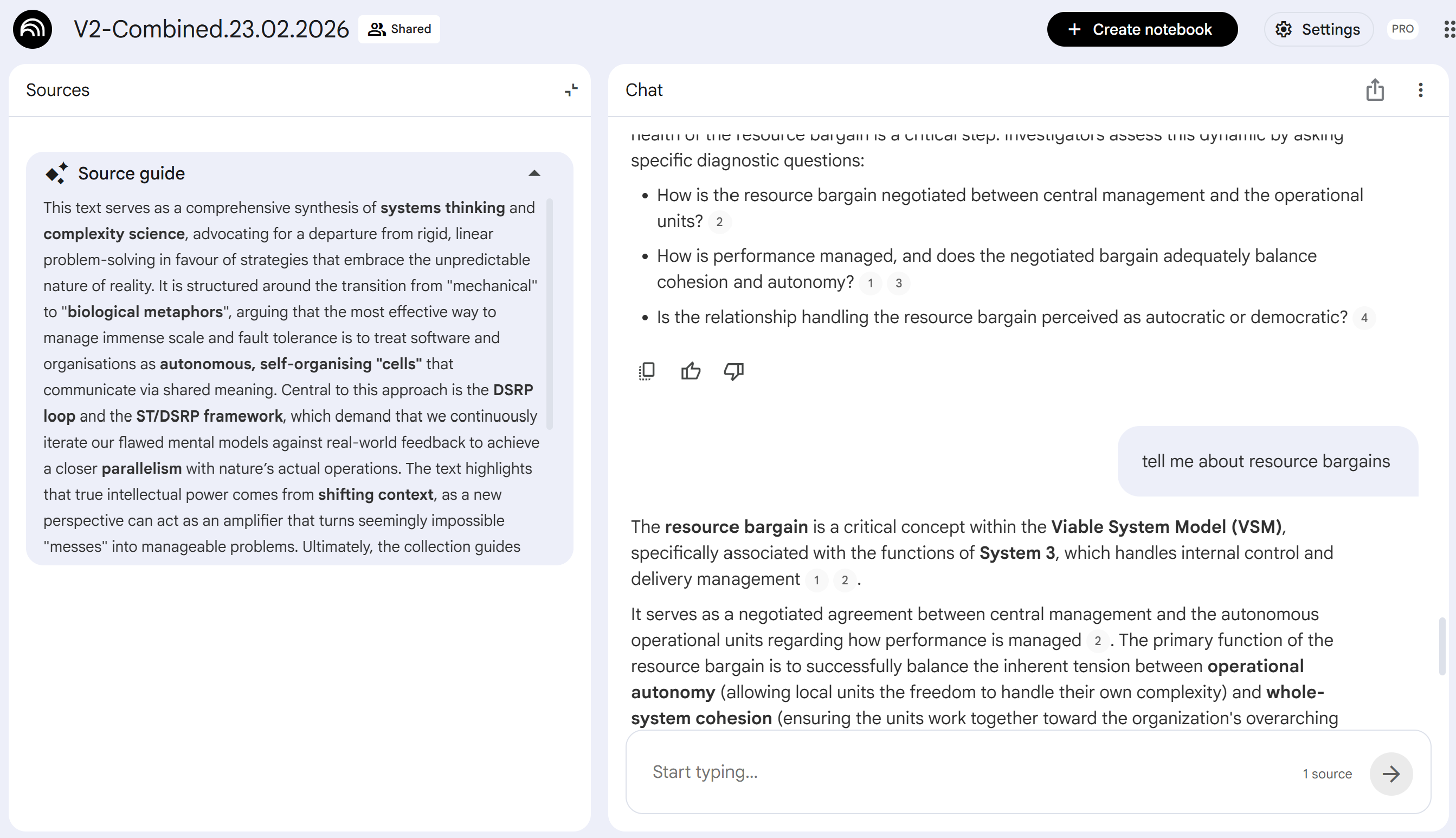 The extent of visibility is limited to the answer (right hand pane) and the supporting information is just the introductory paragraph to the QSet.
Viewer Access on the QSet
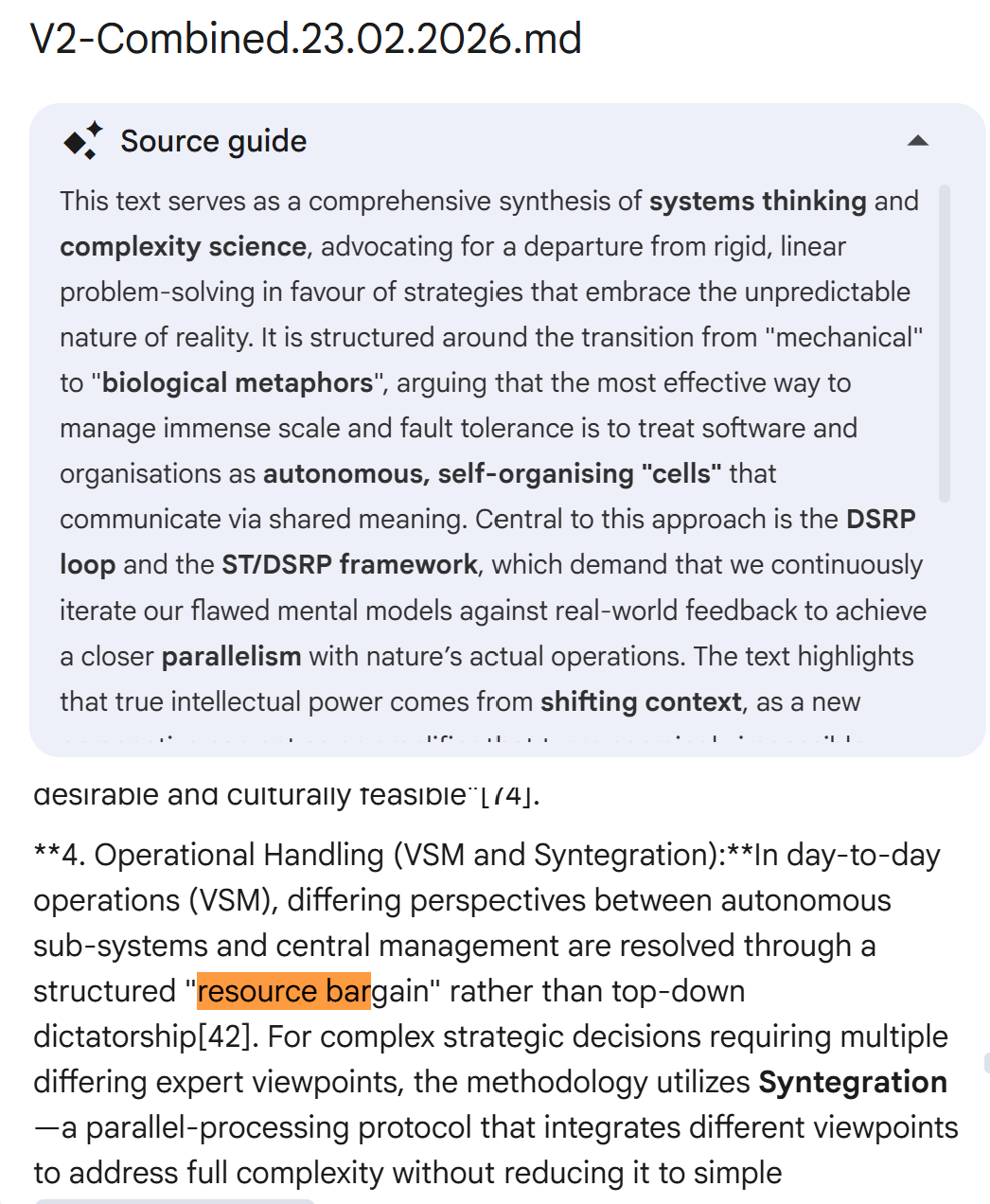 This extends the visibility to the full material in the QSet. This is both a digest and summary of the underlying source data.
Access to The Source NotebookLM on Stafford Beer
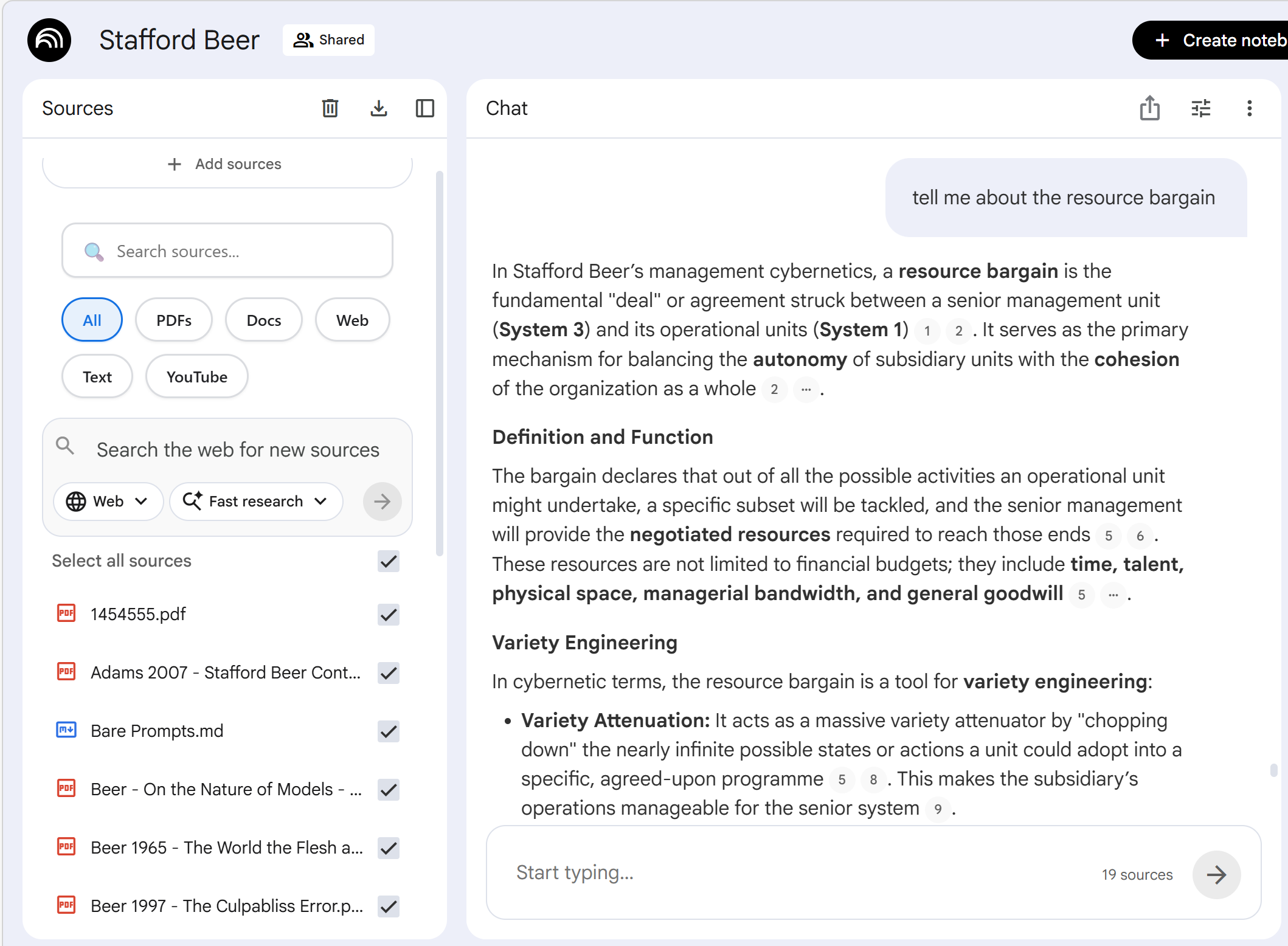 This level is not usually shared and is not needed in order to make the Gemini layer work. Note the multiple references and extensive information all compressed by the QSet process.
Independence and Prompt History
Central to the user illusion of LLMs is the conversational paradigm where the system like a human remembers the thread of questions (i.e. prompts) and use these to refine the discussion around the current focus. This tuning in - natural to the human - implemented by the LLM can produce a fatal flaw of narrowing in which acts as an echo chamber. This unhelpful tendency is prevented by starting a fresh Gemini session and re-adding the NotebookLM which does not carry the GEMINI history of prompts but retains the prompt history and ‘shaped’ view used in the development of the NotebookLM. This is the perfect combination for this use - we can embed the shaping prompts in the contributory NotebookLM but ensure the user prompt history in Gemini does not pollute the source.
Both Gemini and NotebookLM are under intense development and it is to be hoped that the developers do not ditch this in pursuit of better integration between the product families. They are better kept apart with distinct roles and capabilities.
Historical note: I remember the joy of using the first release of the NCSA Browser (the precursor to the development of Netscape and later Chrome. Edge etc). The history on the visited links was held as a plain text file easy to store, share or edit. I pondered a future if using these as the user owned and controlled trails across your interests (we started a research programme - Memoir - in this), sadly this very resource became collateral in the browser wars and the humble text list was ‘productised’ out of all recognition (”simplicity and access”) the bright dawn of naivety was lost to the long darkness of sophistication. I hope Gemini notebook do not fall victim to the same phenomenon.
As another historical note IBM had a system architecture (SNA) and product capability (GML) which did hypertext and the web technically much better than what we have today (notably the system has both outward and inward links). But it was the genius of naïve simplicity pioneered by Tim Berners-Lee that won the day. Sophistication proved to be a curse not a blessing