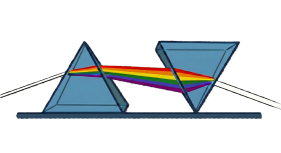
The UI is that of Obsidian is based on three main screen areas (in some cases the )
- The Middle pane is for the content in focus.
- The Left pane is the site structure either as a folder structure or some search result (on a small screen .
- The Right pane provides structural detail of the content either the document headings or a hyperlink graphical view.
Quartz for Obsidian relies on the standard Lucide icon set for its core user interface elements. This choice ensures visual consistency with Obsidian’s own desktop and mobile applications, which also follow Lucide’s design guidelines.
Core Icon Usage in Quartz
The default UI uses specific icons for navigation and structural components:
- 🔍Search: Represented by the
magnifying-glassor standard Lucide search icon. - ☰ Navigation: Mobile and sidebar views often use
three-horizontal-bars(hamburger menu) orchevronarrows for folder expansion. - Dark Mode: A moon or sun icon (often
moonorsunfrom Lucide) is used for the theme toggle. - File Types: Default icons for
document,folder, and specific media likeimage-fileoraudio-file. - 📖 Toggle Right Pane Displays or hides the Right pane which include document headings and network/graph view
Tag conventions
Tag are used extensively in this site to implement much of the ‘slice & dice’ capability especially when it is rendered as a website through Quartz 4 - it enables the drill down through Voices (for example click on Roger-James ) or on the topic or section (click on Gist ).
In some cases the source material contains a tag (which in Markdown syntax is only a term starting with hash) so I have tried to establish a convention:-
- Structural tags (added in Obsidian for navigation) are Capitalised and Hyphonated
- Inherited tags (added from other sources) are Anything Else
Tag Glossary
The system makes extensive use of Tag to implement the slice & dice capability and to allow the drag & drop Data-Eng (you will note there are multiple files under the same author name which simplifies the QSet search at the expense of the folder navigation).
Note: These tags are inactive here to prevent
AI-Sensitivity - observation on the performance of the underlying AI capability and where output show particular to the content or query.
Analysis - reserved for any outputs derived from QSets. Generally these are difficult to classify and the folder structure reflects this e.g. Lucky-Dip. The new standard requires that the prompt form the title of the response and the QSet is included as a Tag (but this is not applied in some of the early results)
Bug - something that does not seem to work quite right. Usulaly these are differences between the native Obsidian capabilities and those reflected in the Perlite or Quartz implementation.
Data-Eng - areas in which an automated system could be developed. STPrism relies too heavily on standards and conventions to make data management and interfacing work at all. Processes that require robust implementation for a resilient system.
Implementation - the essential content and systems documentation.
QSet - the essential normalised digest of the author’s perspective on a particular aspect of Systems Thinking. There are multiple Tags for different QSets such as Environment
Research-Project - observations in developing STPrism that require further research for a reliable and verifiable system.
Voices - the basic profiles and bibliography for each of the author sources each accessible through their Tags of the form firstname-lastname
WOW - Particularly interesting or powerful outputs.
Bug Note: At the moment there is a limitation in Quartz that a search on multiple Tags is not allowed. This is a significant barrier to the full potential of slice & dice.
Legend Iconography
⚖️ - Analyses the analysis and results from the dialectic process, the creative bit.
📖 - Book reviews an intriguing use of NotebookLM.
🔬 - Case studies a developing section of how we can use this system to critique third party ideas, assertions and conclusions.
🛠️ - Implementation the technical details (like this note).
⚡- Insights the interesting and cut-through insights, observations and definitions needed to understand the topic.
📜 - Principles more in depth theme based material
💬- QSet the core structure the different responses to the same question posed to each of the experts as the basis of the dialectic
🎭- Styles material written in different styles - a little fun with learning
🧑💻 - Voices the people, authors and thinkers included as having an interesting, important or intriguing point of view in the broadest possible definition of Complexity or Systems Thinking
🚧 - Work in Progress - sections of the site that are under development or highly variable in contrast to the QSets which must be standardised and invariant.
🤯 - WOW output and insight provided by the system which positively engage and excite me
Bugs
Bug If you see this:-
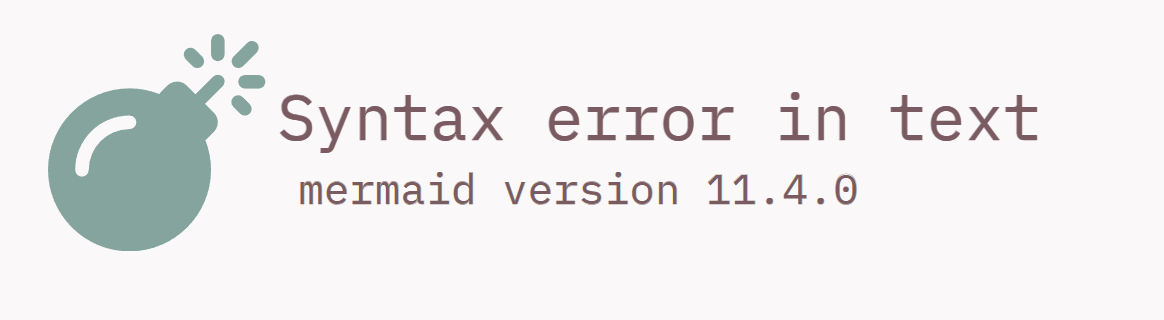
It is a Quartz bug, the diagram works fine in Mermaid (I’m working on it)