“twenty years in the making, twenty hours in the construction”
This site has been developed in perhaps 20 hours of work, over one week, based on my familiarity with the design, content and technology used to build the site (developed over the last 20 years).
If you are unfamiliar with Systems Thinking the content may seem rather esoteric, the fundamental of the design attacks a more familiar problem - that of coherently handling different opinions (points of view) on a common topic. It is the process of managing and maintaining the different ideas in the tsunami of content and of normalising this wealth of ideas onto a common, comparable basis.
The constructors guide is a How-To build your own around topics of your own interest, it could be something like politics or climate change where the different viewpoints are distinct and at first sight incompatible. Instead of ‘taking sides’ we use content to provide ‘talking sides’.
Starting Point:
This is a list of just what you need to do and does not document the faffing around or the time wasting blind alleys you go down when trying to implement a system. Stay on this ‘straight and narrow’ and you will implement your system in record time.
graph TD

    A[**Books**<br>*Paper*] --> B[**Shred&Scan** <br>*Scansnap*]

    B --> C[**Sort&Search**<br>*Recoll*]

    C --> D[**Semantic Normalisation**<br>*NotebookLM* - standard_questions]

    D --> E[**Slice&Dice**<br>*NotebookLM* - analytical_questions]

    E --> F[**Structure&Select**<br>*Obsidian*]

    F --> G[**Share**<br>*Perlite/Quartz*]
The Starting Point: Content
I have written previously about the value of Old Books in # Literature archaeology – a record of failure which pinpointed the design error of the digital age - “to fail to embrace in the digital revolution the unremarkable early texts – too young to be classics, too old to be the latest”.
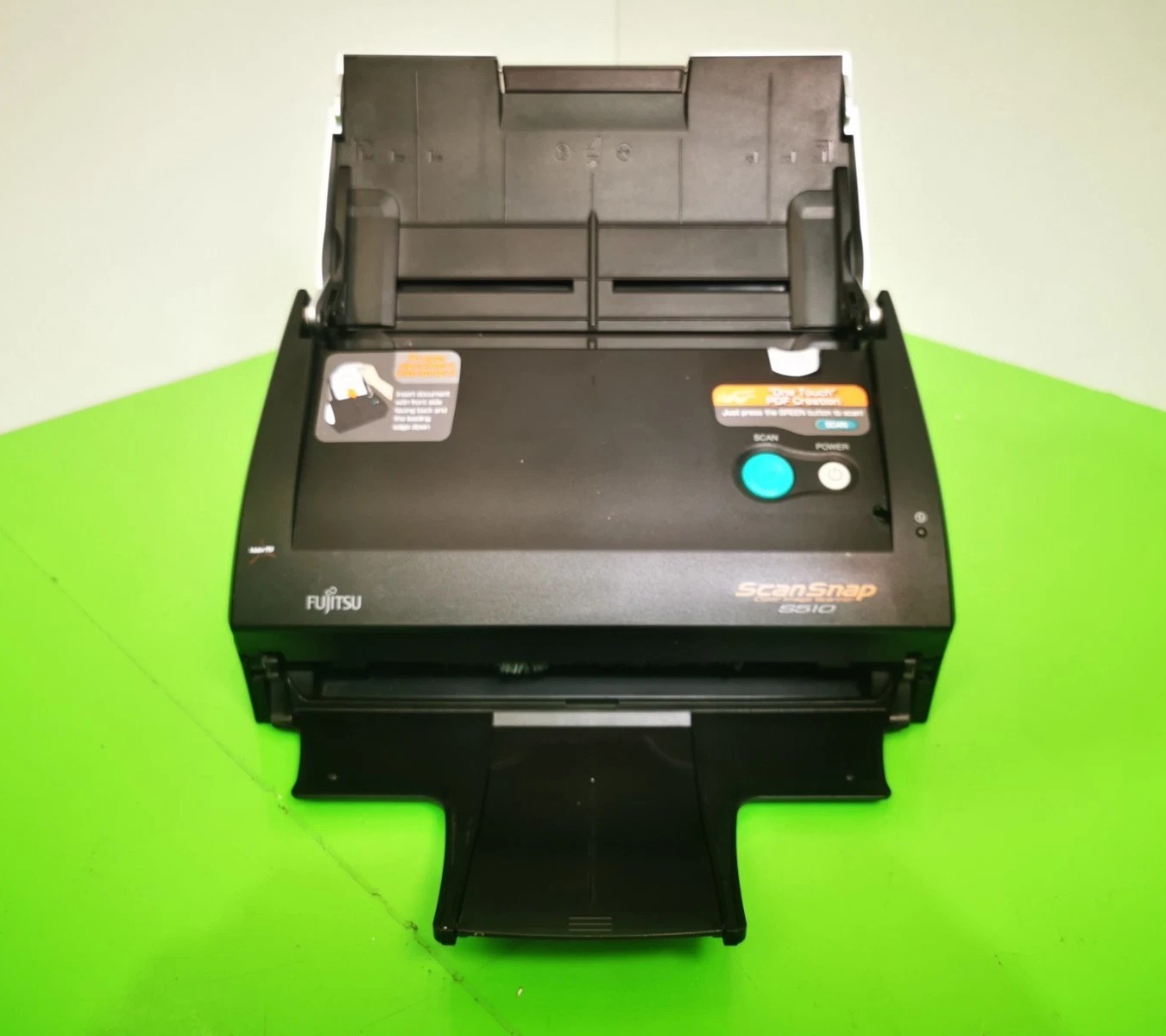
My starting point is my collection of ‘old books’ not as an impressive background for a zoom call but as a working resource for my research. The collection of books were guillotined and scanned to pdf with a domestic scansnap scanner
 |  |
|---|
The Modern Bookshelf
Searching and Selecting
Recoll is my solution it is multiplatform, has a go at finding and using metadata and allows quite sophisticated searches for example the search term ”^ stafford beer”p200 ext:pdf produces a collection of 55 of Stafford Beers works including his books and including Espejo & Harnden book on VSM. Technical note: the ”^ stafford beer”p200 looks for stafford beer in the first 200 words of the document a good proxy for missing metadata for the author of an academic paper.
My own document collection under Recoll runs fine on a laptop which is analysed as follows …
The statistics on the ‘content’ or document files
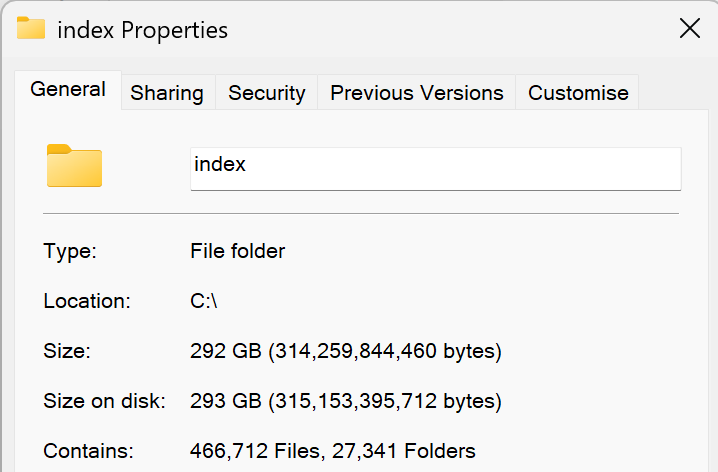
Which when indexed by Recoll as profiled as follows:-
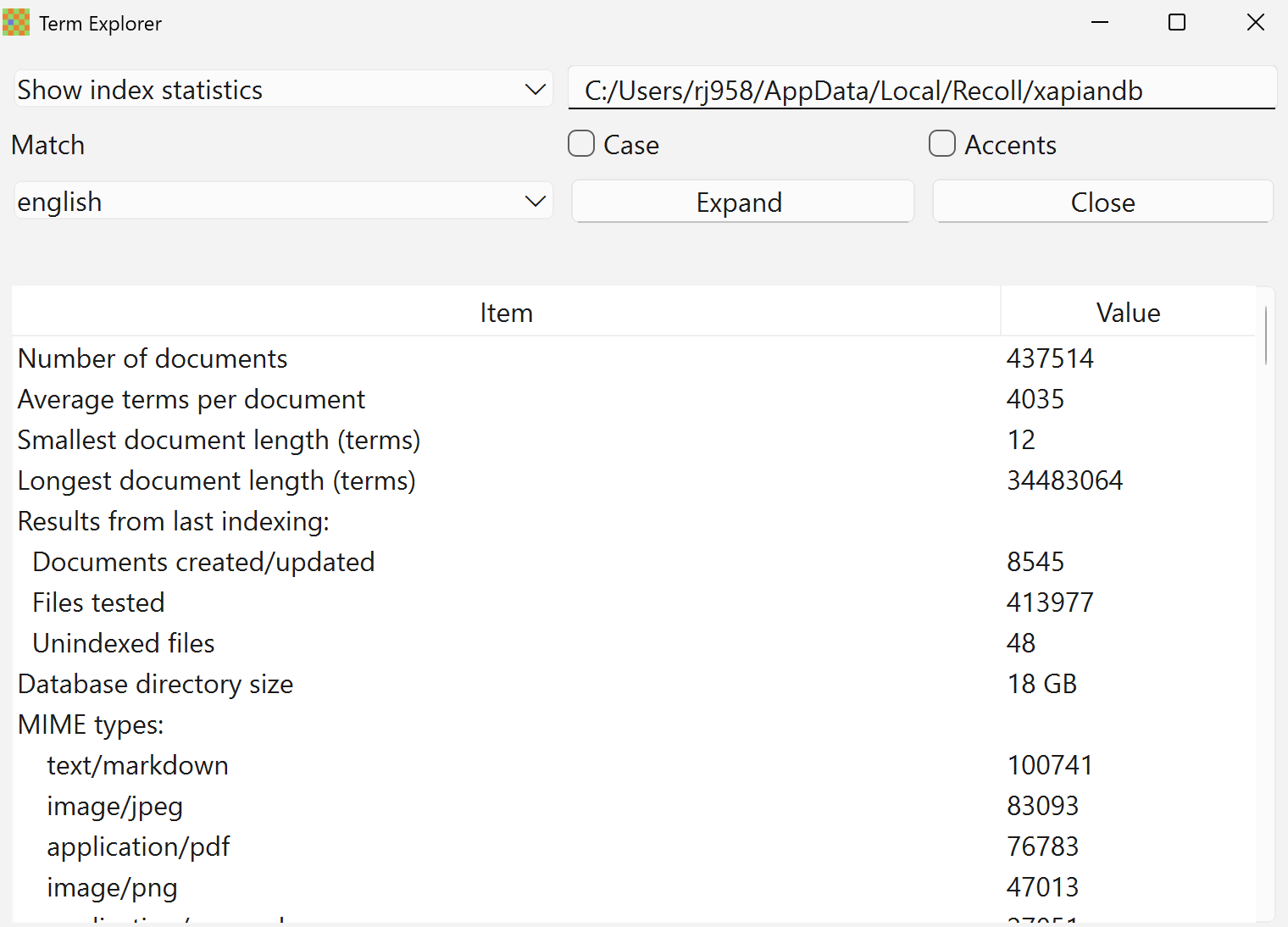
Of all these files 27418 items contain the terms “systems thinking” OR “complexity”.
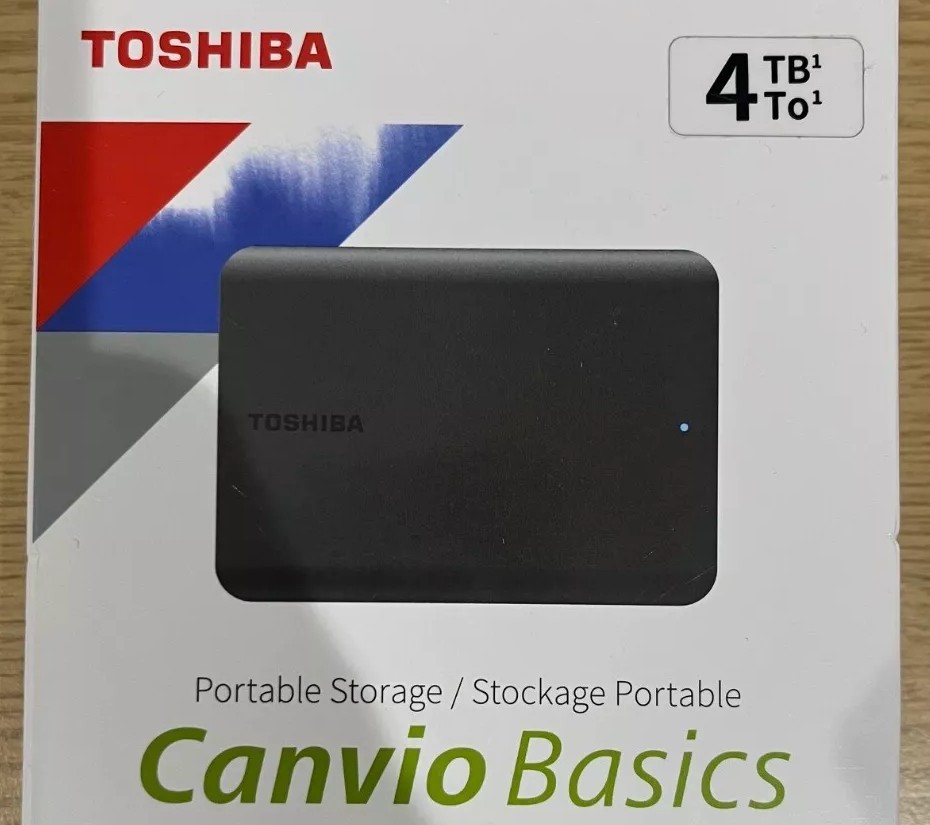
My Canvio drive is mounted on Linux so I can use the following to provide a collection as symbolic links from the main filing system as in the recoll_move_results bash script from Glutimate in How can I move the results of a Recoll query to a folder? - Ask Ubuntu
Windows Tip
If you are developing in Windows: use Git Bash to provide a Linux command line
So the command (which identifies 165 documents)
./recoll_move_results.sh ' "^ ross ashby"p500 OR "^ roger conant"p500 OR filename:ashby OR filename:Ashby-Mechanisms_of_intelligence_ocr ext:pdf '
Produces a directory under a CIFS drive which contains a symbolic list of all the documents meeting the search criteria which can be drag and dropped …
AI - NotebookLM
A ‘free’ GMail account gives you Limited Access to NotebookLM (At the time of writing the free version limits users to 50 sources per notebook and 50 daily conversation queries, while the Pro/Plus version expands this to 300 sources and 500 daily queries).
Data-Eng Its as easy as creating a new Notebook and drag/dropping the document set from the search/selection process onto NotebookLM. Some authors will have more than 50 (or even 300) papers but if you consider 50 textbooks it is a massive source information. In any case the use of the source is only to provide a ‘feel’ for the views of each Voice.
Data-Eng I used an add-on to edge to download the NotebookLM content as MarkDown NotebookLM Ultra Exporter: Markdown & PDF & More - Chrome Web Store. The output is a little dirty but a sed script clears that up:
cleanup.sh
#!/bin/bash
for file in *.md; do
    # Skip if no .md files exist
    [ -e "$file" ] || continue
    echo "Processing: $file"
    # 1. Delete content between 2nd marker and 3rd marker (inclusive of 3rd)
    awk '/^---/ { count++ }
         count == 2 && !/^---/ { next }
         count == 3 && /^---/ { next }
         1' "$file" > "$file.tmp" && mv "$file.tmp" "$file"
    # 2. Perform the reference block replacement
    # Using -z to handle multi-line strings
    sed -z -i 's/---\n\n## 引用来源\n\n/\n---\n> [!info]- References\n/g' "$file"
done
echo "Success: All files have been updated."
It also needed an extra line to properly concatenate the lists in call-outs (which are marked as References here)
find . -type f -exec sed -i '/^> \[!info\]- Reference/,${ s/^\[/> [/ }' {} +
Obsidian - An Information Structuring Environment
Once the different Voices with their representative works are available in NotebookLM Obsidianis available for all platforms and an excellent tool. The rest of this site demonstrate the value of the Obsidian approach briefly summarized as:-
- Use of Markdown as the native format to produce an open format for content with portability and efficiency as a design goal
- Frontmatter standards for MetaData
- An active community of third party plug-ins for clever operations (such as batch tagging)
- Backdoor (with care!) access to content for batch changes (of the raw files with sed etc)
- Integration of Folder Structures with Tags to navigate (slice & dice) the content
- Options to publish as a website (see Perlite and Quartz)
Not much more to note about Obsidian (other than it is brilliant) but you can only appreciate the merit of this application by using it. Other guides on this site discuss the Information Architecture produced for this site.
Each Obsidian vault is mirror in GitHub both as a way of managing versions of the content but also as a way of publishing.
Loading to NotebookLM
The genius of Obsidian is that ‘underneath’ everything is just plain markdown files arranged according to the Obsifian folder hierarchy. Thus loading a set of files is just a question of ‘drag and drop’ from the file explorer onto the target (which here is NotebookLM).
concatmd.sh
for dir in */; do
    dir=${dir%/}  # Remove trailing slash
    # Create/overwrite the output file for this directory
    > "${dir}.md"

    # Loop through .md files in the subdirectory
    for file in "$dir"/*.md; do
        if [ -f "$file" ]; then
            filename=$(basename "$file")
            echo "FILE:${filename}" >> "${dir}.md"
            cat "$file" >> "${dir}.md"
            echo -e "\n" >> "${dir}.md" # Add spacing between files
        fi
    done
done
Perlite
With the Obsidian Vault managed by GitHub it can behosted by Hostinger Web Hosting UK | Fast & Secure Platform for Your Website. I chose Hostinger on the basis of a good service and price but more significantly on the basis that it support WebHooks between the GitHub repository and the live website.
Obsidian requires the GitHub plugin GitHub plugin and if you read the instructions Hostinger - WebHook Setup it works fine.
I like the Perlite rendition and ease of use. There are a few irritants - for example the search is not as good as native Obsidian but it is the better and more faithful rendition of the Obsidian look and feel. It does suffer from a ‘blank screen’ when a directory is selected (Quartz has a work around for this as mentioned next).
The only significant configuration required for Perlite is the settings.php
Perlite Bugs
There is a Mermaid bug/compatibility issue where lists are not displayed correctly
Quartz
Quartz works differently to Perlite and is, in essence, a compiler. It produces a static HTML site from the underlying Obsidian vault and a simplified user interface for some of the Obsidian capabilities. If you are unfamiliar with Obsidian it may be preferable.
Brilliant features of Quartz are the speed of the final website and the search facilities. It also support an incremental build facility.
A build and load script was needed (targeted at a Hostinger site accessible via SSH). It changes the default SSH port, is explicit in which SSH key is required and prevents the overwriting of .htaccess file.
deploy.sh
#!/bin/bash

# 1. Build Quartz
npx quartz build

# 2. Deploy via Rsync over Port 65002
# Replace the variables below with your specific Hostinger details
USER="u763459050"             # Your Hostinger Username
HOST="31.220.106.216"        # Your Hostinger IP Address
DIR="domains/stprism.idok.me/public_html/" # Path to your site root

echo "Deploying to Hostinger..."

# The -e 'ssh -p 65002' flag forces rsync to use the correct Hostinger port
rsync -avz --delete --exclude='/.htaccess'  -e 'ssh -p 65002 -i ~/.ssh/hostinger_key ' public/ $USER@$HOST:$DIR

echo "Deployment Complete!"
Windows Tip
WSL is sufficiently mature now that it runs fine on your Windows laptop has direct access to you host windows files at /mnt/c/Users/username/OneDrive/etc so avoids all the faffing about of file transfers
The less brilliant features lie with the difficulty of configuration, there are a few key files and
For the incremental build to work: Check your Config: If you don’t want to use Git for dates, go to quartz.config.ts and set defaultDateType: "filesystem" (or “modified”) within your CreatedModifiedDate plugin settings.
- To change the footer: edit and delete the line in
- To adjust the font size and introduce a logo above the title change as follows
- To change the anoying footer text: Edit the lines in quartz/components/Footer.tsx
- To get control of the fonts as sizes: edit
There is also one major faff - in the UI when you click on a directory it produces a 404 error. This can be prevented by ensuring every directory, or subdirectory, has an index.md file in it. This prevent the error replacing it with a automatically produced contents list of the directory which is nice. The file is also useful as place for an explanation or README of the contents to come.
Quartz Bugs
There is also a Mermaid bug “Syntax error in text
- Escape the triggering characters. Place a backslash
\before the dash or the dot in a numbered list to prevent it from being parsed as a Markdown list.- Example: Use
B["1\. Step One"]orB["\- Item"]instead ofB["1. Step One"].
- Example: Use